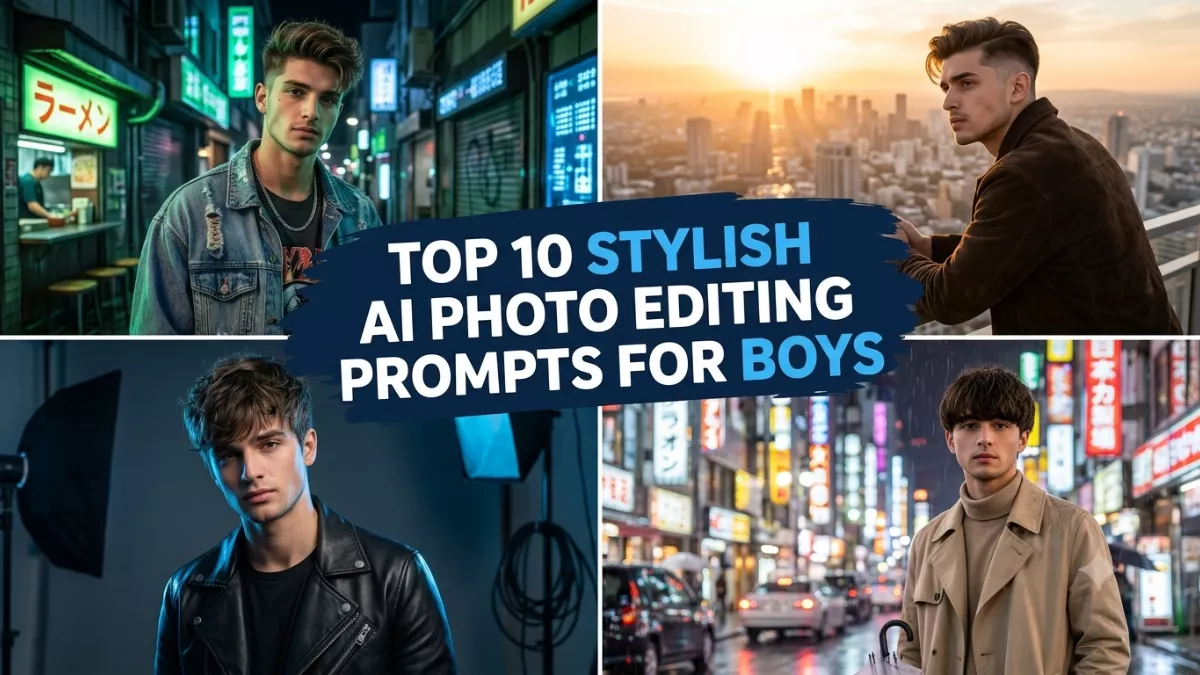
AI photo editing is becoming a popular way to turn ordinary selfies into dramatic, professional-looking portraits. In 2026, boys can experiment with cinematic city streets, rainy-night scenes, luxury interiors, sunset landscapes, and movie-inspired lighting using AI image editing tools.
The secret to creating an impressive cinematic portrait is choosing a detailed prompt. Instead of asking an AI tool to make a photo look cool, describe the outfit, camera angle, lighting, background, and mood. You should also specify which facial features must remain consistent to achieve a more natural result.
Here are the top 10 stylish AI photo editing prompts for boys with cinematic backgrounds that you can copy, customize, and try using an AI tool that supports reference-photo editing.
1. Dark Cinematic Portrait With Black Outfit
A dark cinematic background creates a bold, stylish appearance. This concept is ideal for social media profile pictures and fashion portraits.
AI Prompt:
“Edit my uploaded photo into a stylish cinematic portrait of a young man. Preserve my recognizable facial features, natural skin tone, hairstyle, and age. Dress me in a premium black jacket over a black T-shirt. Create a dark urban background with subtle blue lighting, distant glowing streetlights, and soft atmospheric haze. Use dramatic side lighting, realistic shadows, detailed skin texture, sharp eyes, and professional movie-poster photography. Keep the image photorealistic and avoid excessive retouching.”
2. Rainy Night City Cinematic Portrait
Wet streets, reflections, and colorful city lights can create a dramatic nighttime atmosphere.
AI Prompt:
“Transform my reference photo into a realistic cinematic portrait on a rainy city street at night. Preserve my original facial identity, hairstyle, and natural proportions. Dress me in a stylish dark jacket. Add wet pavement reflecting blue and amber lights, distant traffic bokeh, and light rain in the background. Use realistic lighting on my face, natural skin texture, accurate clothing details, and cinematic color grading. Make the scene feel like a frame from a high-budget urban film.”
3. Luxury Black Suit With Golden Background
This concept combines elegant fashion with warm, luxurious lighting for a polished editorial look.
AI Prompt:
“Create a premium cinematic fashion portrait using my uploaded photo as the reference. Keep my facial identity and natural skin tone consistent. Dress me in a tailored black suit with a crisp white shirt. Place me inside a luxurious modern building with golden ambient lighting, elegant architectural details, and a softly blurred background. Use realistic fabric textures, dramatic but natural shadows, detailed facial features, and high-end editorial photography.”
4. Neon Blue and Purple Cinematic Portrait
Neon lighting creates a futuristic aesthetic that works well for creative social media posts.
AI Prompt:
“Edit my uploaded photo into a stylish futuristic cinematic portrait. Preserve my recognizable face, hairstyle, and natural facial proportions. Dress me in a modern black streetwear outfit. Create a nighttime urban background featuring subtle blue and purple neon signs, reflective surfaces, and soft background blur. Use controlled neon lighting, realistic skin tones, sharp facial details, and cinematic contrast. Avoid oversaturated colors and artificial-looking facial features.”
5. Golden-Hour Cinematic Portrait
Warm sunset lighting gives a photograph a natural, emotional, movie-like quality.
AI Prompt:
“Transform my photo into a photorealistic cinematic portrait during golden hour. Preserve my facial identity, hairstyle, and natural appearance. Dress me in a stylish beige or dark brown jacket. Place me on an open rooftop with a distant city skyline illuminated by warm sunset light. Add soft golden highlights, realistic shadows, subtle lens depth, and a naturally blurred background. Create a professional film-still aesthetic without excessive visual effects.”
6. Moody Streetwear Portrait in an Urban Alley
This prompt is perfect for a contemporary street-fashion aesthetic with dramatic lighting.
AI Prompt:
“Create a cinematic streetwear portrait from my uploaded image. Keep my face recognizable and preserve my natural skin tone. Dress me in an oversized black hoodie, cargo pants, and modern sneakers. Place me in a stylish urban alley with textured brick walls, soft overhead lights, and a slightly wet pavement. Use directional lighting, realistic clothing folds, natural proportions, and moody cinematic color grading. Keep the composition clean and professional.”
7. Foggy Mountain Cinematic Portrait
A mountain landscape with mist and cool tones creates a dramatic outdoor portrait.
AI Prompt:
“Use my uploaded photo to create a realistic cinematic mountain portrait. Preserve my facial features, hairstyle, and natural proportions. Dress me in a dark outdoor jacket. Position me against a misty mountain landscape with layered hills, drifting fog, and soft early-morning light. Use realistic atmospheric depth, natural colors, detailed clothing, and subtle cinematic contrast. Make the background expansive while keeping my face clearly visible and photorealistic.”
8. Luxury Hotel Interior With Dramatic Lighting
A modern luxury interior can make a simple portrait look sophisticated and editorial.
AI Prompt:
“Transform my reference photo into a cinematic luxury lifestyle portrait. Preserve my recognizable face, hairstyle, and natural skin tone. Dress me in a fitted charcoal suit or smart-casual black outfit. Place me in an elegant hotel lobby with marble surfaces, warm ceiling lights, and a softly blurred background. Use realistic reflections, balanced highlights, natural shadows, and professional fashion photography. Avoid exaggerated luxury details and artificial-looking skin.”
9. Black-and-White Movie-Style Portrait
Black-and-white photography emphasizes expression, texture, and dramatic composition.
AI Prompt:
“Convert my uploaded photo into a realistic black-and-white cinematic portrait. Preserve my original facial identity, hairstyle, and expression. Use a dark background with directional light illuminating one side of my face. Add carefully controlled shadows, realistic skin texture, detailed hair, and strong but natural contrast. Create the atmosphere of a classic dramatic film still, with sharp eyes and no excessive smoothing.”
10. Red and Black Action-Movie Portrait
A red-and-black color palette creates an intense, energetic look suitable for bold fashion portraits.
AI Prompt:
“Edit my uploaded photo into a dramatic red-and-black cinematic portrait. Preserve my recognizable face, hairstyle, and natural proportions. Dress me in a modern black jacket. Create a dark urban background with subtle red accent lights, light atmospheric smoke, and distant blurred highlights. Use controlled dramatic lighting, realistic shadows, natural skin texture, and professional movie-poster composition. Keep the effects restrained and the image photorealistic.”
How to Create Cinematic AI Photos
Follow these steps to get started:
- Choose a clear photo: Use a high-resolution image with your face clearly visible.
- Open an AI image editor: Select a tool that supports uploading and editing reference photos.
- Copy a prompt: Choose one of the cinematic styles above and paste the prompt alongside your image.
- Customize the scene: Change the outfit, lighting colors, location, or mood to match your preferences.
- Review the result: Check facial details, hands, clothing, proportions, and background reflections.
- Refine the image: Ask for specific corrections if the result looks artificial or differs too much from your reference.
Tips for More Realistic Cinematic Backgrounds
To make your portrait look like a professionally photographed movie scene, describe the light source and its direction. For example, ask for blue light from the background and soft warm light on the face. This creates contrast without making the skin look unnatural.
Keep the background slightly blurred when you want the subject to stand out. Request realistic shadows, accurate body proportions, natural skin texture, and restrained color grading. Avoid combining too many effects, such as heavy smoke, multiple neon colors, rain, sparks, and dramatic lens flares in a single image.
For social media, request a 4:5 vertical portrait or a 9:16 composition for stories and status updates. AI editing results can vary, and facial identity may not be preserved perfectly. Use photos you have permission to edit and check the privacy practices of the tool before uploading personal images.
Conclusion
These 10 stylish AI photo editing prompts for boys with cinematic backgrounds offer ideas for creating dramatic portraits in 2026. From rainy city streets and neon lighting to luxury interiors and misty mountains, each prompt provides a different visual style to explore.
Start with a clear reference photo, choose your favorite background, and customize the lighting and outfit. With detailed instructions and a few refinements, you can create cinematic portraits suitable for social media, profile pictures, and personal photography projects.
Frequently Asked Questions
1. Which AI tools can create cinematic portraits?
You can try ChatGPT, Google Gemini, or other AI image editors that support reference-photo editing. Available features vary by tool and account.
2. How can I make an AI portrait look cinematic?
Describe the background, lighting direction, color palette, camera style, and mood. Ask for realistic skin texture and natural shadows.
3. Can I use these prompts for Instagram profile pictures?
Yes. The dark portrait, neon portrait, and black-and-white concepts are suitable starting points for profile pictures and social media posts.
4. How do I keep my original face in the edited photo?
Upload a clear reference image and explicitly request that the tool preserve your facial identity, hairstyle, and skin tone. Results may vary.
5. What image size should I use for cinematic portraits?
A 4:5 composition works well for portrait posts, while 9:16 is suitable for stories and status updates. Choose the format based on where you plan to publish the image.