AI photo editing is becoming a popular way to transform ordinary selfies into realistic portraits, professional headshots, cinematic photographs, and stylish social media pictures. With Google Gemini’s image-generation and editing capabilities, users can experiment with different outfits, backgrounds, lighting styles, and poses by describing the changes they want.
The key to creating realistic AI portraits is writing a detailed prompt. Instead of simply asking for a beautiful photo, explain how the subject should look, what should change, which facial features should remain consistent, and how the scene should be photographed.
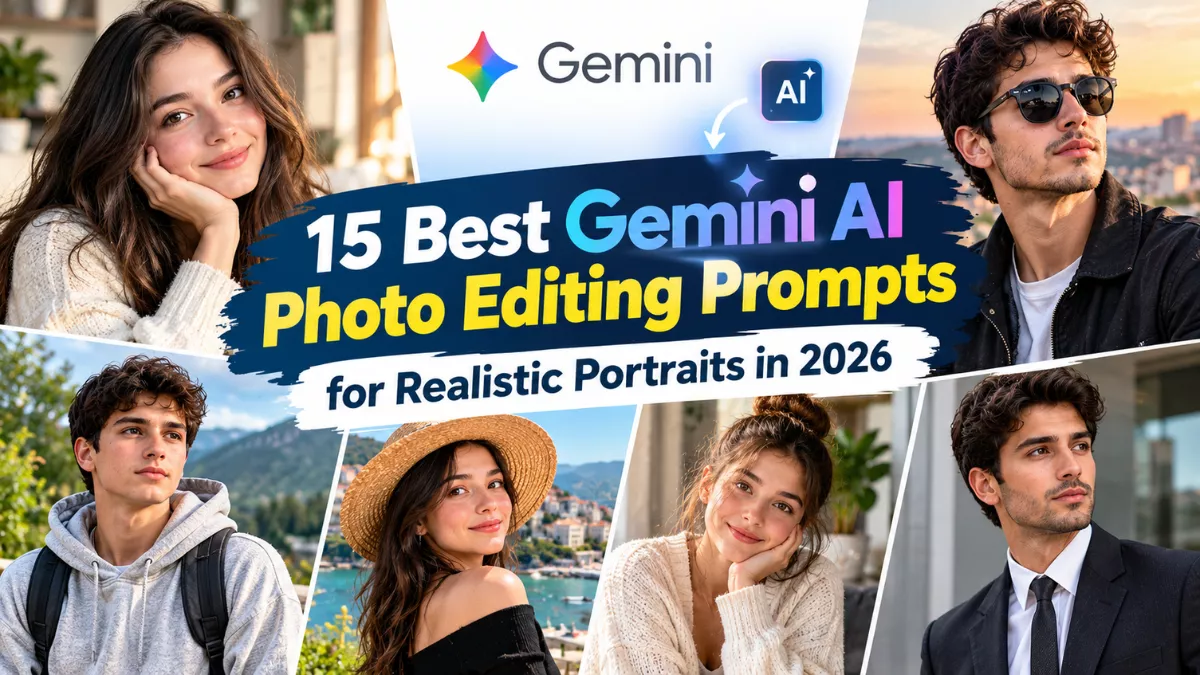
If you want to improve your photos in 2026, here are 15 Gemini AI photo editing prompts for realistic portraits that you can copy, customize, and try.
15 Best Gemini AI Photo Editing Prompts for Realistic Portraits
1. Professional Studio Portrait
A professional studio portrait is ideal for profile pictures, personal branding, and online portfolios.
Prompt:
“Use my uploaded photo as the reference and transform it into a realistic professional studio portrait. Preserve my recognizable facial features, natural skin tone, hairstyle, and age. Dress me in a well-fitted dark blazer over a plain shirt. Use a neutral gray background, soft studio lighting, natural shadows, realistic skin texture, and sharp eye details. Create a polished photograph captured with a professional portrait camera. Avoid excessive skin smoothing and artificial facial changes.”
2. Natural Outdoor Portrait
Outdoor portraits can look authentic when the lighting and background feel natural.
Prompt:
“Edit my uploaded photo into a realistic outdoor portrait taken during golden hour. Keep my facial identity, hairstyle, and natural skin tone consistent. Place me in a green park with softly blurred trees in the background. Use warm natural sunlight, realistic shadows, accurate colors, and subtle background blur. Maintain natural skin texture and believable proportions. The final image should look like an actual professional outdoor photograph.”
3. Cinematic Portrait with Moody Lighting
This prompt creates a dramatic portrait suitable for creative social media profiles and photography-inspired posts.
Prompt:
“Transform my reference photo into a cinematic realistic portrait. Preserve my original facial identity and natural appearance. Use a dark, softly blurred urban background with subtle blue and warm amber lighting. Add gentle directional light across my face, realistic shadows, detailed hair, and natural skin texture. Use cinematic color grading without making the image look artificial or changing my facial structure.”
4. Stylish Black Outfit Portrait
Black clothing and a minimal background create a timeless, fashionable look.
Prompt:
“Create a realistic fashion portrait from my uploaded photo. Keep my face recognizable and preserve my natural skin tone. Dress me in a stylish black shirt, black trousers, and a minimalist wristwatch. Place me against a modern architectural background with soft daylight. Use natural body proportions, detailed fabric textures, realistic shadows, and professional editorial photography.”
5. Luxury Fashion Portrait
A luxury-inspired portrait combines elegant clothing with a refined setting.
Prompt:
“Use my uploaded photo to create a realistic luxury fashion portrait. Preserve my recognizable face, hairstyle, and natural skin texture. Dress me in a tailored charcoal suit with a crisp white shirt. Place me in an elegant modern hotel interior with warm lighting and a softly blurred background. Use realistic fabric details, balanced contrast, natural proportions, and high-end fashion photography.”
6. Realistic Cafe Portrait
A cafe setting works well for casual lifestyle pictures and social media posts.
Prompt:
“Transform my photo into a realistic lifestyle portrait taken inside a modern cafe. Preserve my facial identity and natural appearance. Dress me in a neutral-colored overshirt and a simple T-shirt. Position me near a large window with a coffee cup on the table. Use natural window light, realistic reflections, warm colors, and a softly blurred background. Make the image feel candid and professionally photographed.”
7. Rainy City Portrait
Rainy streets can add atmosphere without relying on excessive visual effects.
Prompt:
“Create a realistic portrait based on my uploaded photo, showing me standing on a city street after rainfall. Preserve my facial features, hairstyle, and skin tone. Dress me in a dark casual jacket. Add wet pavement, subtle reflections, distant city lights, and a naturally overcast atmosphere. Use realistic lighting, accurate skin texture, believable reflections, and professional urban photography.”
8. Black-and-White Portrait
Monochrome photography emphasizes facial expression, contrast, and composition.
Prompt:
“Convert my uploaded photo into a realistic black-and-white editorial portrait. Preserve my facial identity, hairstyle, and natural facial details. Use a simple dark background, directional studio lighting, and carefully balanced highlights and shadows. Keep the eyes sharp, the skin texture natural, and the contrast refined. Avoid excessive retouching and artificial facial reconstruction.”
9. Traditional Indian Portrait
Traditional clothing offers an elegant option for festive photos, family occasions, and cultural celebrations.
Prompt:
“Edit my reference photo into a realistic traditional Indian portrait. Preserve my recognizable face, natural skin tone, and hairstyle. Dress me in an elegant embroidered kurta in a deep navy or cream color. Place me in a heritage courtyard with subtle architectural details and warm natural light. Use realistic fabric textures, accurate proportions, natural shadows, and professional cultural fashion photography.”
10. Beachside Sunset Portrait
A sunset background creates a warm, relaxed look suitable for travel-inspired photography.
Prompt:
“Transform my uploaded photo into a realistic beachside portrait at sunset. Keep my facial identity and natural appearance unchanged. Dress me in a simple linen shirt and place me near the shoreline with gentle waves in the background. Use warm sunset light, realistic water reflections, natural shadows, and subtle background blur. Maintain realistic skin texture and avoid exaggerated colors.”
11. Casual Denim Fashion Portrait
Denim is a versatile option for an everyday portrait that looks fashionable without appearing overly formal.
Prompt:
“Create a realistic casual fashion portrait using my uploaded photo. Preserve my facial identity and natural proportions. Dress me in a blue denim jacket over a plain white T-shirt, paired with dark jeans. Use a clean urban background with soft daylight and subtle depth of field. Keep the fabric texture realistic, the colors balanced, and the overall photograph natural.”
12. Minimal White Background Headshot
A clean headshot is useful for professional profiles, portfolios, and simple social media images.
Prompt:
“Create a realistic head-and-shoulders portrait from my uploaded photo. Preserve my recognizable facial features, hairstyle, age, and skin tone. Use a plain off-white background, a simple smart-casual shirt, and soft even lighting. Center the subject with a natural expression and relaxed shoulders. Keep realistic skin texture, accurate facial proportions, and crisp details without excessive retouching.”
13. Fitness Portrait
This concept is suitable for fitness enthusiasts who want a realistic athletic portrait.
Prompt:
“Edit my uploaded photo into a realistic fitness portrait in a modern gym. Preserve my face and natural body proportions. Dress me in a fitted athletic T-shirt and sports trousers. Include gym equipment in the softly blurred background, with natural overhead lighting and realistic shadows. Keep the anatomy accurate, the skin texture natural, and the overall appearance believable rather than exaggerated.”
14. Editorial Portrait with a Soft Background
This style focuses on natural facial detail and professional composition.
Prompt:
“Transform my reference photo into a realistic editorial portrait. Preserve my facial identity, natural skin tone, hairstyle, and expression. Dress me in a simple, elegant outfit and place me against a softly blurred neutral background. Use natural-looking directional light, realistic skin pores, sharp eyes, detailed hair, and subtle color grading. Create a clean, high-resolution photograph suitable for a fashion or lifestyle magazine.”
15. Premium Social Media Profile Portrait
A polished profile portrait can be used across multiple social media platforms.
Prompt:
“Use my uploaded image as the reference to create a realistic, premium social media profile portrait. Keep my facial identity, hairstyle, and natural skin tone consistent. Dress me in a modern smart-casual outfit and use a clean contemporary background. Frame the image around my head and shoulders, with soft directional lighting, natural skin texture, sharp facial details, and realistic proportions. Keep the composition uncluttered and suitable for a square profile picture.”
How to Use These Prompts in Google Gemini
Follow these steps to create your portrait:
- Open Google Gemini and check whether image editing or image generation is available for your account.
- Upload a clear reference photograph.
- Copy one prompt from the list and paste it into the conversation.
- Specify any changes you want, such as a different outfit, background, or lighting style.
- Review the result and ask for corrections if the face, hands, or proportions look unnatural.
- Save or export the final image using the options available in the tool.
Tips for More Realistic Gemini AI Portraits
For the most convincing results, start with a sharp photograph taken in good lighting. Give Gemini specific editing instructions and explain which features should remain unchanged. If you want to change only the background, say so explicitly rather than requesting a complete transformation.
Avoid prompts that combine too many conflicting styles. Natural lighting, realistic shadows, accurate anatomy, detailed clothing, and restrained retouching often produce more believable results than excessive filters.
You can also request a 4:5 portrait for social media posts or a 9:16 composition for stories and status updates. Results may vary, and preserving facial identity is not guaranteed. Only upload photographs you have permission to use, and review the tool’s privacy terms before sharing personal images.
Conclusion
These 15 Gemini AI photo editing prompts for realistic portraits in 2026 cover professional headshots, outdoor photography, luxury fashion, traditional Indian outfits, cinematic scenes, and everyday lifestyle portraits. Each prompt gives you a starting point that you can customize to suit your personal style.
Choose a clear reference photo, describe the changes precisely, and refine the result when necessary. With thoughtful instructions, AI tools can help you explore different portrait styles while maintaining a natural photographic appearance.
Frequently Asked Questions
1. Can Google Gemini edit an existing photo?
Gemini supports image-related capabilities that can vary by version, account, and region. If image editing is available, upload your photo and describe the changes you want.
2. How do I make a Gemini portrait look realistic?
Specify natural skin texture, accurate proportions, realistic lighting, detailed clothing, and a believable background. Avoid excessive filters and unrealistic effects.
3. Can these prompts be used for boys and girls?
Yes. You can adapt the outfits, backgrounds, poses, and styling to suit any person.
4. How can I keep my face unchanged during AI editing?
Use a clear reference photo and explicitly ask the tool to preserve your facial identity, hairstyle, skin tone, and natural features. Results can still vary.
5. Are these Gemini AI photo editing prompts free?
The text prompts can be copied and reused. Access to image generation and editing may depend on Gemini’s current features, usage limits, and account plan.